 Couchnight
How it works
One device runs the game and shows the board on the TV. Everyone else joins on their phone, by scanning a QR code or typing a short code into a web page. Each phone shows what’s for its player alone, like a secret word, a private answer or a drawing pad. The TV shows what’s for everyone: whose turn it is, the drawings, the votes, the scores.
With Couchnight, the host starts a night on an iPhone or iPad, or in a browser for the free games. Guests play in their phone’s browser, iPhone or Android, with nothing to install and no account.
Getting the board on the TV
- Apple TV or an AirPlay TV: on the iPhone or iPad, open Control Centre and tap Screen Mirroring. Couchnight puts the board on the TV by itself, and keeps your phone for playing.
- A cable: plug the iPhone or iPad into the TV’s HDMI input with an adapter. It works the same way as AirPlay.
- A smart TV, a laptop or a projector: open couchnight.quietgames.app/tv in its web browser and type the room code. A laptop plugged into the TV works too.
- No TV tonight: every game also plays on the phones alone. Each phone shows the game and what’s for its player.
Getting everyone in
Players point their camera at the QR code on the TV, or go to couchnight.quietgames.app and type the four letters. They pick a name and a character, and they’re in. Up to 12 people play in one room, the host included.
If a phone locks or someone reloads the page, they come back to their seat with their name and their score. Someone who arrives in the middle of a round plays from the next one.
What to play
Games where everyone plays at once suit a TV best, because nobody waits for a turn and the big moment, a reveal or a drawing, happens on the screen for the whole room.
- Sketch race: one draws on their phone, everyone watches it appear on the TV and races to guess. Free.
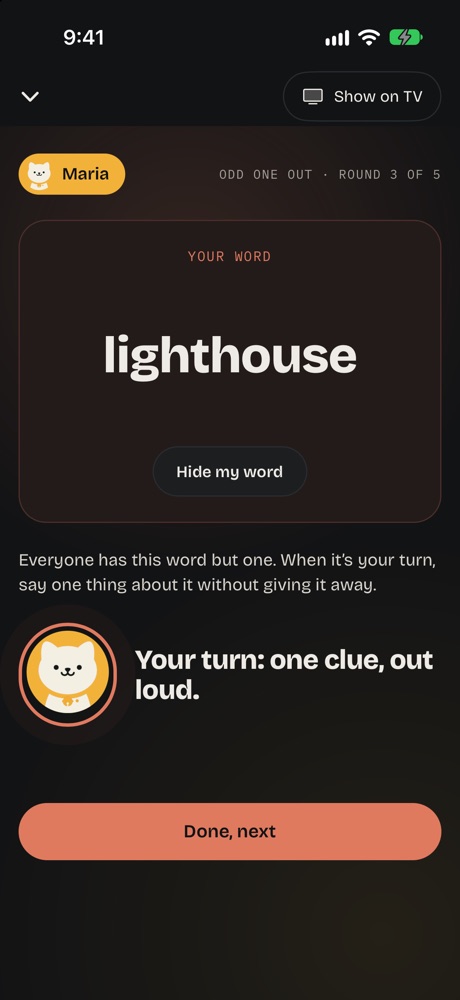
- Odd one out: everyone has the same word but one. A clue each, then a vote. Free, and the imposter game you may know already.
- Quick quiz: four answers on the TV, and the fastest right tap scores the most.
- Pass the doodle: draw, guess, draw, and every chain plays back on the TV at the end.
- Punchline: finish the line, then vote for the funniest.
- Great minds: answer the same question and score for matching the room.

Tips for a smooth night
- Check the internet: phones need a connection, on Wi-Fi or mobile data. Have the Wi-Fi password handy for guests.
- Turn the sound on: the TV plays sounds for countdowns and reveals. In a browser on the TV, tap Sound on in its corner.
- Sit facing the TV: the shared moments, the reveals, the drawings and the scores, happen on the big screen.
- Bigger group: with more than 12, play in pairs, two people to a phone.
- Pick the language: the words and questions come in the language the host picks, and each phone shows the game in its own language.
Turn your TV into a game board
Couchnight is party games on your TV, played on everyone’s own phone. Start a night on your iPhone or iPad, and friends join with a four-letter code. Free games, no ads, no accounts, in six languages.
Questions
Do I need a games console?
No. A phone or tablet runs the game, and any TV with AirPlay, an HDMI input or a web browser shows it.
Do players need to download an app?
No. Guests play in their phone’s browser. Only the host uses the app, on an iPhone or iPad, or a browser for the free games.
Can Android phones play?
Yes. Any phone with a web browser can join, iPhone or Android.
How many people can play?
Up to 12 in one room, the host included. Each game says how many it takes, and a bigger group can play in pairs.
Does it work on a TV without AirPlay?
Yes. On a smart TV with a web browser, open couchnight.quietgames.app/tv and type the room code. A laptop plugged into the TV works the same way.
Can we play with friends in other homes?
Anyone with the code can join from their own phone, wherever they are. To talk while you play, have a video call going on the side. Public rooms let you play with people you don’t know yet.